How Does an AI Smart Fridge Know What You Took?
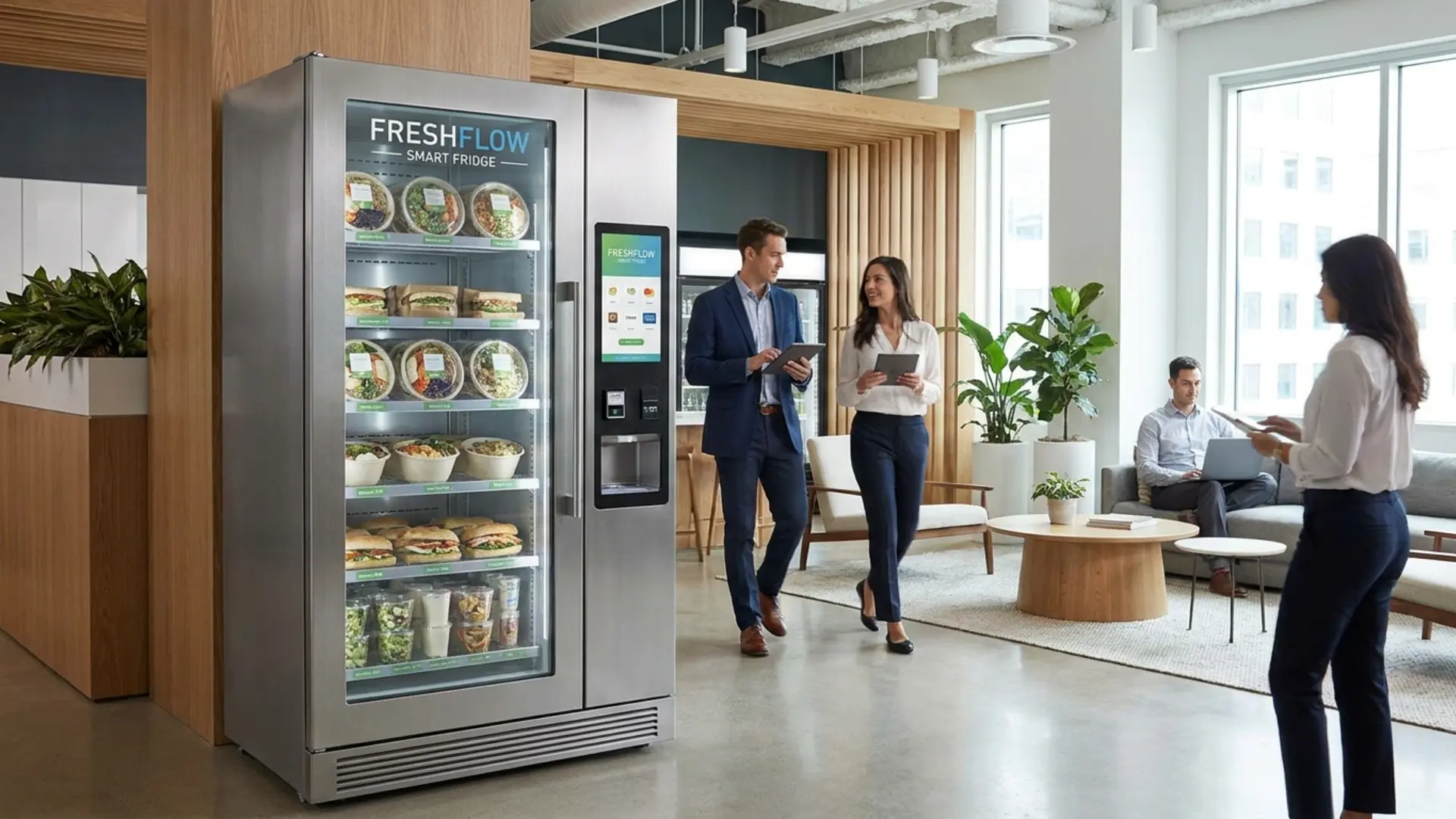
If you have seen an AI smart fridge for the first time and asked how it knows what you took, you are asking the right question. The answer involves computer vision, a field of artificial intelligence that enables machines to interpret and classify visual data in real time.
The short version: cameras inside the fridge observe the shelves while the door is open. When the door closes, the system processes what it saw, identifies which products were removed, and charges the customer's payment method automatically.
The longer version, what the technology is doing at each step, why it does not need barcodes or a customer app, and what the operator sees afterward, is what this guide covers.
The Starting Point: Payment Authentication
Before the fridge can detect anything, the customer needs to authenticate. This is the first step of every AI smart fridge transaction, and it serves two purposes: it unlocks the fridge door, and it establishes which payment method will be charged when the session ends.
The customer taps a credit card, debit card, Apple Pay, or Google Pay at the payment reader on the fridge. The tap authorizes the session, confirms that a valid payment method is present, and releases the magnetic lock on the door. The customer has not been charged yet, the tap is authorization, not payment.
This step is important because the entire frictionless checkout model depends on knowing who is paying before the door opens. The system does not charge until the session ends, but the payment method is confirmed at the start. If the authorization fails, an expired card, insufficient funds, the door does not unlock.
From the customer's perspective, tapping to unlock an AI smart fridge feels the same as tapping to pay at a standard contactless terminal. The difference is that the tap is opening a door, not completing a payment. The actual charge happens after the door closes.
What Happens Inside the Fridge While the Door Is Open
Once the door is open, the computer vision system begins observing the shelves. The AI smart fridge uses cameras positioned to see the product shelves from above or from the sides, depending on the unit's design. DMVI's models include HD AI vision (360 model) and Full HD AI vision (450 model).
The cameras capture the state of the shelves when the session begins, which products are present, in which positions. As the customer reaches in and takes items, the cameras track changes in the shelf state. A product that was present at the start of the session and is no longer present when the door closes is detected as taken.
What the system is detecting is the absence of a product that was there before, a change in the visual field that corresponds to a product being removed. The AI model has been trained to associate specific visual signatures (the product's appearance, packaging shape, color, size) with specific products so it can identify not just that something was taken but what that something was.
The customer does not need to do anything to help this process. They do not need to hold products up to a scanner, present a barcode to a camera, or confirm their selection on a screen. The AI observes and records as they shop naturally.
Multiple Products in One Session
One of the practical advantages of computer vision checkout over traditional vending machines is that a single session can capture multiple products without any additional steps from the customer.
In a standard vending machine, each product requires a separate interaction: select, pay, receive. For a customer who wants three items, that is three separate transactions. In an AI smart fridge, a customer who wants a sandwich, a drink, and a snack takes all three in one door-open session. The AI tracks all three removals. When the door closes, all three are charged in a single transaction.
For the operator, this has a meaningful effect on average transaction value. A customer who can take multiple items in one friction-free session is more likely to do so than a customer who has to complete a separate mechanical transaction for each item. The format encourages a fuller basket rather than a single-item purchase.
When the Door Closes: Identification and Charge
Closing the door signals the end of the session. The system processes the camera data collected during the session, compares the initial shelf state to the final shelf state, and produces a list of products detected as removed. The AI model identifies each item from its visual signature and matches it to the product catalog set up during onboarding.
Once the product list is confirmed, the system charges the customer's payment method for the total value of the items taken. The customer receives a transaction confirmation, and the session ends.
The charge reflects exactly what was detected as removed. A customer who opens the door, picks up a product, looks at it, and puts it back should have that item recognized as returned, the shelf state at close should reflect the product back in position. The AI is tracking removals, not touches.
What the Operator Sees in EZVend
From the operator's side, every completed session generates a transaction record in EZVend, the platform used to manage DMVI AI Smart Fridges. The record shows which products were sold, the transaction total, and the timestamp.
EZVend also updates inventory in real time. Each product detected as taken decrements the inventory count for that SKU. Low-stock alerts trigger when inventory for a specific product falls below the threshold the operator has set. The operator can see these alerts from any internet-connected device and plan restocking based on actual sales data rather than a scheduled calendar visit.
The temperature monitoring capability in EZVend is relevant specifically to the refrigerated format. A fridge that has drifted outside its target temperature range will surface an alert in EZVend before the product inside is compromised. For an operator who cannot be physically present at the machine at all times, this remote temperature visibility is an operational safeguard that standard vending machine management platforms do not provide.
Why No Barcode Scanning Is Required
Some grab-and-go refrigerated retail implementations require customers to scan each product after taking it, using either a handheld scanner or their phone camera. This adds a step that disrupts the natural shopping experience and creates error potential: a customer who forgets to scan an item, or has trouble with the scanner, introduces friction into a format that is supposed to be frictionless.
Computer vision in the DMVI AI Smart Fridge eliminates this step entirely. The system does the recognition work automatically. The customer's only actions are tapping to unlock, taking products, and closing the door. No scanning is ever required at any point in the transaction.
For operators, this means the checkout experience the customer has is genuinely simple, not simple with a hidden step. A customer who has never used an AI smart fridge before can complete a transaction correctly without any instruction, because the interaction follows the same pattern as using any refrigerator.
Product Recognition and Onboarding
The AI model's ability to recognize specific products depends on the product catalog that is configured during the onboarding process. When a new product is added to the fridge, its visual signature is registered in the system so the AI can identify it when it is taken.
DMVI handles product recognition setup during the onboarding process that follows purchase. The operator does not need to independently configure the computer vision model for each product, this is part of what the virtual onboarding session covers.
Products that can be sold in an AI smart fridge include drinks, snacks, fresh food, and packaged items that fit on the adjustable refrigerated shelves. The range of vendable products is broader than what a traditional vending machine can handle because there is no mechanical dispensing mechanism to configure, the products simply sit on shelves and the AI handles recognition.
How This Differs From What Most People Think of as Vending
Most people's mental model of automated retail is based on the traditional vending machine: you put money in, press a button, and one item comes out. The AI smart fridge does not fit that model at any point.
There is no button to press. There is no item dispensed mechanically. There is no single-item-per-transaction constraint. There is no keypad, no screen navigation, no mechanical delivery sequence.
What there is, from the customer's perspective, is a refrigerator they can open after tapping their card. What there is, from the operator's perspective, is a managed retail unit that tracks sales, sends inventory alerts, monitors temperature, and reports transaction data through EZVend, without requiring a staff member to be present.
This is why the AI smart fridge is suited for micro market deployments rather than traditional vending machine contexts. It is not a better vending machine. It is a different kind of automated retail infrastructure designed for a different customer experience and a different operational model. The AI-powered vending machines real-world guide covers the distinction between AI applications in vending in more depth.
The Complete Transaction From Start to Finish
To summarize how the AI smart fridge knows what you took, here is the complete transaction in sequence:
The customer taps a payment card or mobile wallet. The system authorizes the payment method and unlocks the door. The customer opens the door. Computer vision cameras record the shelf state at the start of the session. The customer takes products from the shelf. The cameras track which products are removed. The customer closes the door. The system compares the initial and final shelf states, identifies the removed products, and charges the authorized payment method for the total. EZVend records the transaction and updates inventory.
The customer was charged correctly. The operator's inventory count is accurate. No scanning occurred. No buttons were pressed beyond the initial tap. The whole process took as long as it takes to open a fridge, choose something, and close it again.
What EZVend Sees After Each Transaction
Every completed session produces a record in EZVend that the operator can review from any internet-connected device. The record shows which products were identified as taken, the total charged, and the timestamp. This information updates EZVend's inventory count for each product, decrementing the available quantity for each item sold.
The cumulative effect of these transaction records is an accurate real-time picture of the machine's inventory state. The operator does not need to open the fridge and manually count products to know what is left. EZVend's inventory data reflects what has actually sold, product by product, since the last restocking visit.
This operational visibility is one of the key commercial advantages of computer vision checkout over traditional vending machine formats. In a standard vending machine, the product count per slot is maintained through the machine's mechanical state, a coil that has dispensed a certain number of items. In the AI smart fridge, the product count is maintained through transaction records: a digital log of what the computer vision system detected as taken. Both approaches tell the operator how much inventory remains. The AI smart fridge's approach does so with the granularity of a full itemized transaction record for every session.
Why the Technology Matters for the Customer Experience
The practical effect of computer vision checkout on the customer experience is that the interaction feels like using a refrigerator rather than using a vending machine. This is not a minor distinction. A customer who approaches a traditional vending machine navigates a selection interface, confirms a specific product, waits for mechanical delivery, and is limited to one item per transaction. A customer who approaches an AI smart fridge opens a door, takes what they want, and closes it.
The behavioral difference between these two experiences affects what customers are likely to buy. An open-shelf format encourages browsing, a customer who might have intended to buy one item might take two or three after seeing what is available. A traditional vending machine's one-item-per-transaction model does not encourage the same multi-item behavior.
For operators, the practical implication is that the average transaction value at an AI smart fridge can be higher than at a traditional vending machine serving the same customer population, because the format removes the friction that limits single-item purchases and encourages the kind of natural multi-item selection that open-shelf retail produces. This is one of the reasons the micro market format, of which the AI smart fridge is a compact, single-unit expression, has grown in corporate and hospitality settings.
The Difference From a Locked Fridge With Manual Scanning
Some refrigerated retail implementations use a simpler approach: a fridge with a magnetic lock that opens after payment authorization, where the customer then manually scans each item using a barcode scanner or their phone camera before the transaction completes. This approach is less complex than computer vision but introduces a friction point that the AI smart fridge eliminates.
Manual scanning requires the customer to correctly scan every item they take. A missed scan means an item is not charged, and the operator absorbs the loss. An item whose barcode does not scan cleanly requires the customer to retry or seek assistance, disrupting the self-service nature of the experience. The scanning step also adds time to each transaction.
Computer vision in the DMVI AI Smart Fridge removes this step entirely. The detection is automatic. The customer does not need to scan anything. The AI handles product identification from the moment the door opens to the moment it closes. This is why the customer experience is genuinely frictionless rather than mostly frictionless with one residual step.
Why Understanding the Technology Matters for Operators
An operator who understands how the computer vision checkout works is better positioned to explain the experience to a venue's management team, handle questions from customers who have not used the format before, and evaluate what goes right or wrong in a specific deployment context.
A venue manager who asks "how does it know what I took?" deserves a clear answer, not a vague reference to AI. A customer who is hesitant to trust that the system charged them correctly is more likely to try the machine again if they understand what happened. An operator who can explain the tap-open-take-close sequence and the computer vision detection step clearly builds more confidence in the format among everyone who encounters it.
DMVI's virtual onboarding and training process covers the operational aspects of the AI Smart Fridge in detail. The free full-day training option at DMVI's Sebastopol, California facility is available to all purchasers. The full technology overview is at digitalmediavending.com/micro-markets.
Conclusion
The AI smart fridge knows what you took because computer vision cameras observe the shelf while the door is open, compare what was there at the start of the session to what remains when the door closes, and identify the products removed. The customer authenticates at the start with a tap, and the charge is applied automatically at the end. No scanning, no button selection, no mechanical delivery. The customer shops naturally and the AI handles the rest.
DMVI's AI Smart Fridge 360 and 450 both use this technology, managed through EZVend, with financing from $1,898.50 with no credit check. Visit digitalmediavending.com/micro-markets to learn more.
Sources
Want to understand AI smart fridge checkout?
DMVI can explain how computer vision, inventory logic, and payment systems work together in unattended retail.