Vending Machine Maintenance: How to Keep Your Machines Running and Revenue Protected
The most preventable revenue loss in a vending machine business is unplanned downtime. A machine that is functioning correctly earns revenue continuously. A machine that is down, because a dispenser jammed, a payment reader failed, or a mechanical issue escalated from a warning to a breakdown, earns zero while the location's foot traffic keeps moving.
The gap between these two outcomes is almost always a maintenance decision. Not a maintenance expense, maintenance for a properly operated vending machine is not costly or time-intensive. It is a decision to perform the checks, act on the alerts, and address the small issues before they become large ones.
This guide covers the complete vending machine maintenance picture for DMVI machine operators: what to check on every restocking visit, how to interpret and respond to VendingTracker health alerts, what the monthly maintenance check involves, when to handle issues independently and when to call DMVI's California-based support team, and how a consistent maintenance record affects the machine's long-term value.
Key Finding: VendingTracker's machine health monitoring alerts are the early warning system that makes proactive maintenance possible. Operators who act on alerts promptly prevent most machine downtime events. Operators who delay alert response routinely discover that a manageable alert has become an emergency repair.
Why Maintenance Is the Most Overlooked Operating Practice
Most vending machine business guidance focuses on the variables that operators can see in VendingTracker's sales dashboard: inventory levels, sales velocity, pricing performance, planogram configuration. These are important. But they are output metrics, they tell you what the machine is producing. Machine health monitoring tells you whether the machine is going to keep producing, or whether something is developing that will interrupt production.
The operators who run the most reliable machines treat maintenance as a non-negotiable part of the restocking visit, not an optional extra. They arrive at each machine with a mental checklist that takes five to ten minutes to complete alongside restocking. They look for specific things, test specific functions, and log anything that does not look right. Over time, this practice builds the maintenance record that demonstrates to buyers, to insurance providers, and to venue partners that the machine is properly managed.
The operators who treat maintenance as reactive, addressing issues only when they become failures, spend more time per machine dealing with problems, more money on emergency service calls, and more revenue lost to avoidable downtime. The approach is not sustainable at scale, and it is expensive even for a single-machine operator.
The Restocking Visit Maintenance Checklist
Every restocking visit is an opportunity to inspect the machine and catch developing issues before they become failures. The restocking visit checklist covers the areas most likely to show early signs of problems.
Exterior inspection: Examine the machine's exterior for physical damage, scratches, dents, vandalism, or impact damage that might indicate the machine has been pushed, struck, or tampered with. Check that the cabinet door locks correctly and that the locking mechanism is secure. Check that the machine is level and stable, a machine that has shifted position may have been moved by cleaning staff or venue management, which can affect both the machine's visual alignment and, in some cases, its dispensing accuracy.
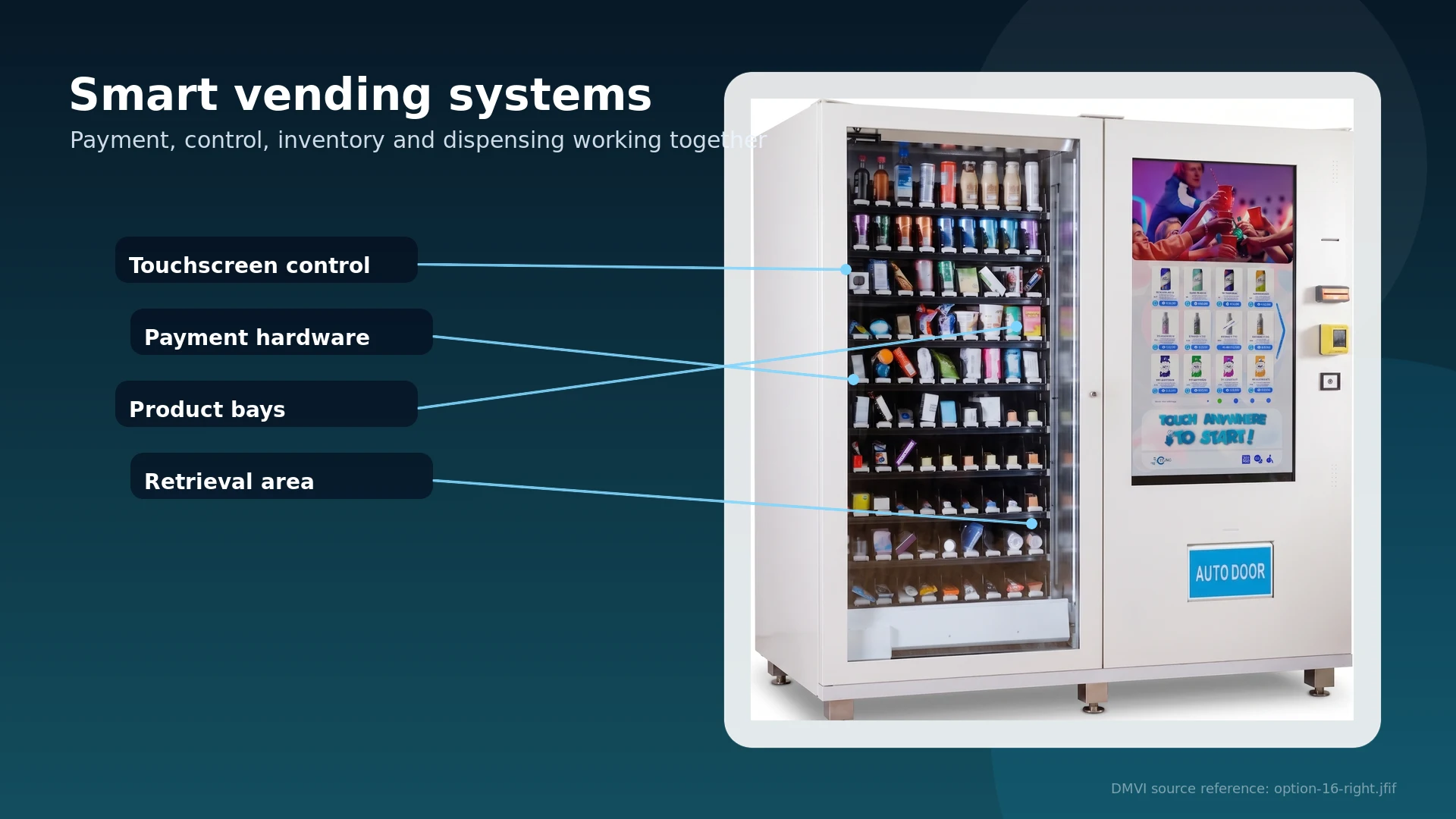
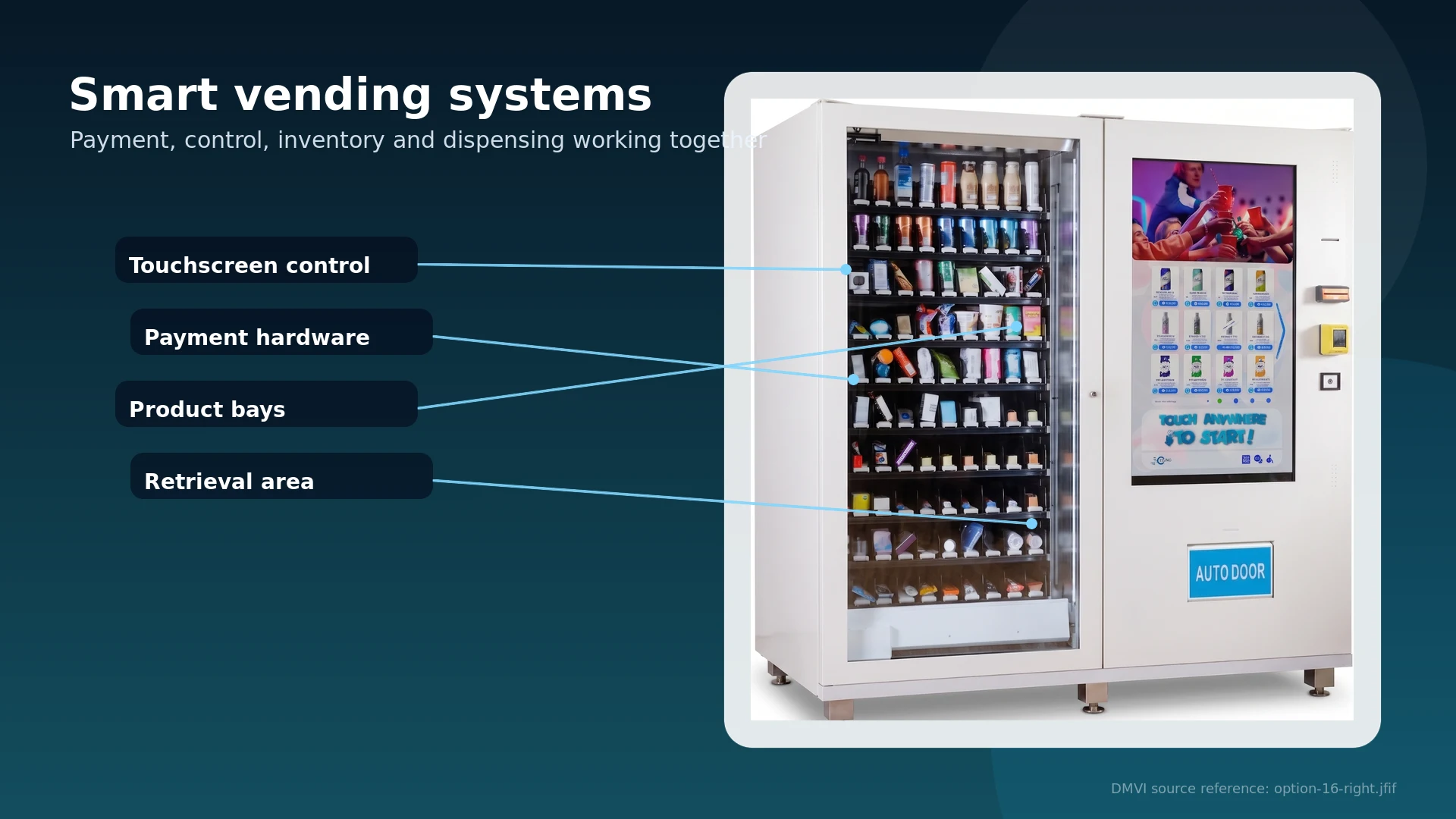
Clean the exterior, particularly the touchscreen display and the payment reader surface. A dirty touchscreen reduces the customer's interaction quality. A payment reader with grime on the NFC contact surface can produce intermittent payment failures that frustrate customers and produce transaction errors that appear in VendingTracker as payment hardware alerts.
Touchscreen and UI check: Power cycle the touchscreen display if it is showing any display anomalies, freezing, partial screen failure, or incorrect UI rendering. Most display issues resolve with a restart; persistent display problems after restart should be logged and reported to DMVI support.
Test the touchscreen responsiveness in multiple areas of the display. A touchscreen that is unresponsive in one region but functional elsewhere has a localized failure that will worsen and should be flagged.
Cashless payment hardware: Test the Nayax payment reader with a contactless-capable card or phone. Tap-to-pay should authorize in under two seconds. If the reader does not respond, fails to authorize, or produces an error code, restart the payment hardware and test again. Persistent payment reader failures after restart should be reported to DMVI support immediately, a machine that cannot process payments earns nothing regardless of how well-stocked it is.
Product channel and dispensing inspection: Examine every product slot for proper channel alignment, product advancement, and loading depth. Products that are leaning or have shifted position may not advance correctly on the next dispensing cycle. Straighten any products that are not in the correct position. Remove any debris or foreign objects from channels.
For machines with conveyor belt shelving, check the belt surface for debris, sticky residue from product spills, or belt alignment issues. A clean, properly tensioned conveyor belt advances products reliably; a dirty or misaligned belt produces jams.
Test the dispensing mechanism on any slot that was refilled with a product that has not been sold from that slot recently. A slot that sat empty and was refilled needs to be confirmed working before the restocking visit ends.
Interior cleaning: Wipe the interior surfaces that customers can see through the window, shelving, interior walls, and any surfaces visible during a product selection interaction. A visually clean interior maintains the product presentation quality that drives purchase decisions.
What VendingTracker Health Alerts Tell You and How to Respond
VendingTracker's machine health monitoring generates alerts when telemetry data from the machine deviates from expected parameters. Each alert type signals a different potential issue and warrants a different response.
Low inventory alerts: The machine is reporting that a specific product slot has reached the low-threshold level. Response: schedule a restocking visit based on the slot's depletion trajectory. For fast-moving products in high-traffic locations, a low-inventory alert should trigger a same-day or next-day restocking response. For slow-moving products, the response window is longer.
Payment hardware alerts: The Nayax payment reader is reporting a transaction error or hardware anomaly. Response: assess urgency immediately. A single payment error alert may reflect a one-time event. Repeated payment alerts within a short window indicate a hardware issue that is actively causing failed transactions and lost revenue. Visit the machine, restart the payment hardware, and test manually. If the alert recurs after restart, contact DMVI support.
Connectivity alerts: The machine has lost its telemetry connection to VendingTracker. Response: check whether the issue is a network problem at the location (a temporary Wi-Fi or cellular outage) or a hardware issue with the machine's connectivity module. If the connectivity loss is persistent, the machine is running blind, no inventory data, no sales data, no health monitoring. This is a priority support issue.
Motor or mechanical alerts: The machine's dispenser motor or mechanical components are reporting abnormal status. Response: visit the machine at the next opportunity. Motor alerts that recur in the same slot across multiple visits indicate a developing mechanical issue that will worsen without intervention. DMVI support should be contacted if the alert does not resolve after physical inspection and manual dispense testing.
For a detailed breakdown of how to use VendingTracker data operationally, DMVI's vending machine data operations guide covers the full data-to-decision framework.
The Monthly Maintenance Check
The restocking visit checklist covers the visible and immediate issues. The monthly maintenance check goes deeper, addressing the machine's operational condition at a level that weekly visits do not reach.
Full dispense cycle test: Run a test dispense from every occupied slot in the machine, using a test transaction or the machine's service mode. Confirm that every slot dispenses correctly, that products advance to the delivery point without jamming, and that the delivery mechanism operates smoothly. This full-cycle test catches slot-specific mechanical issues before they affect live customer transactions.
Conveyor belt and delivery mechanism inspection: Examine the conveyor belt tension and surface condition. Accumulated debris, sticky residue from product leakage, or belt stretch that reduces tension can all cause products to fail to advance or to advance inconsistently. Clean the belt surface with an appropriate cleaning solution (food-safe, leaving no residue that could affect product integrity) and confirm correct tension.
For machines with elevator dispensing, test the elevator travel through the full range of motion and confirm that the delivery door operates smoothly without resistance.
Payment hardware firmware check: Confirm that the Nayax payment hardware is running current firmware. DMVI support can advise on current firmware versions. Outdated payment firmware can produce compatibility issues with new payment methods or result in processing errors that do not generate obvious alerts.
Deep interior clean: A more thorough cleaning of the machine's interior surfaces, including areas not visible to customers, reduces the accumulation of debris that over time can affect dispensing mechanism operation.
Electrical connections visual check: Confirm that all accessible electrical connections, power supply, internal cable routing, any external connection points, are secure and show no signs of wear, heat damage, or moisture exposure.
Common Issues and Their First-Response Actions
Jammed product in a dispenser slot: Clear the jam manually by accessing the product channel through the service door. Remove the jammed product and any debris. Inspect the slot for the cause of the jam, a bent channel wall, a product that was loaded incorrectly, or a product that expanded due to temperature and no longer fits the channel. Restore the channel to correct alignment, reload product correctly, and test the slot manually before closing the machine.
Touchscreen freezing or unresponsiveness: Perform a full system restart through the machine's service menu. If the freeze or unresponsiveness recurs after restart, document the specific conditions under which it occurs and report to DMVI support.
Product not advancing in a conveyor belt slot: Check the belt surface for debris or sticky residue that is preventing smooth belt travel. Clean the belt surface and test the slot. If product still does not advance, check belt tension and alignment. If the issue persists after cleaning and alignment check, contact DMVI support.
Payment reader producing NFC errors: Restart the payment reader module. Test with multiple contactless payment devices. If errors persist across multiple payment devices and after restart, the payment hardware needs service. Contact DMVI support with the specific error codes being generated.
The key principle across all first-response actions: document what was observed, what action was taken, and what the outcome was. This documentation builds the maintenance record that demonstrates proper machine management.
When to Contact DMVI Support vs Handle It Yourself
The decision matrix for when to handle a maintenance issue independently and when to involve DMVI's California-based support team:
Handle independently:
-
Product restocking and planogram updates
-
Exterior and interior cleaning
-
Jammed product clearing
-
Touchscreen restart for minor display glitches
-
Product channel realignment for loading issues
Contact DMVI support:
-
Persistent payment hardware errors that do not resolve after restart
-
Motor alerts that recur across multiple visits to the same slot
-
Connectivity issues that do not resolve after network troubleshooting
-
Physical damage to any mechanical component
-
Error codes in VendingTracker that the operator cannot identify or interpret
-
Any issue that the operator has attempted to resolve twice without success
DMVI's California-based support team is accessible to operators with active machines. Their guide to why vending machines fail covers the failure modes that maintenance prevents, which is useful context for understanding when a support call is warranted versus when an issue is within the operator's normal maintenance scope.
How Maintenance History Affects Machine Value at Resale
A maintained machine is worth more than an unmaintained one, in two distinct ways.
Operational performance. A machine with a consistent maintenance history has fewer accumulated mechanical issues, cleaner dispensing components, and better payment hardware condition than one that was managed reactively. This better condition translates to better uptime and better revenue performance, which means the SDE that drives the machine's resale valuation is higher.
Buyer confidence. A buyer evaluating a vending machine route or individual machine sale will ask about maintenance history. An operator who can present a VendingTracker health alert log showing consistent alert response, a documented restocking visit checklist, and no extended downtime events has demonstrably better proof of machine quality than one who says "the machine runs fine."
The 2 to 3× SDE multiple that quality vending machine routes command depends partly on the buyer's confidence that the machines will continue performing. Maintenance documentation is the evidence that supports that confidence.
DMVI Support as a Maintenance Partnership
Digital Media Vending International's California-based technical support is designed to function as a maintenance partnership for operators, not just a reactive repair service. VendingTracker's machine health monitoring means that DMVI's support team can often see the same telemetry data the operator sees, when an operator contacts support with a specific error code or alert, the team can review the machine's health history to provide context for what the alert indicates and what the appropriate response is.
Installation training, which DMVI includes with every machine, covers the maintenance fundamentals described in this guide, what to check on each restocking visit, how to interpret VendingTracker alerts, and what situations warrant a support call. Operators who use that training actively arrive at their first maintenance situations knowing what to look for.
DMVI is a Made in California certified manufacturer, founded in 2009, with more than 2,000 deployments across 22 countries. Machines start at $4,995. Visit digitalmediavending.com for machine options and support information.
Conclusion
Vending machine maintenance is not glamorous operational work. It is the practice that keeps the machine generating revenue, extends the machine's operating life, builds the maintenance record that supports resale value, and prevents the unplanned downtime that is the most avoidable revenue loss in the vending machine business.
The tools are in place: VendingTracker's health monitoring identifies developing issues early. DMVI's California-based support resolves the ones that need professional attention. The operator's restocking visit checklist catches everything in between. What the tools require is consistent use.
Start the maintenance conversation at digitalmediavending.com.
The vending machine maintenance practice described in this guide is not a significant time commitment. The restocking visit checklist takes 10 to 15 minutes per machine. The monthly check takes 30 to 45 minutes. The VendingTracker alert review takes whatever time it takes to read an alert and determine the response. Across a portfolio of three to five machines, the total weekly maintenance time investment is under two hours. The revenue protected by those two hours, in avoidable downtime prevention and machine longevity, is far greater than the time cost. It is among the highest-return activities in the vending machine business.
Every maintained machine is a revenue-protected asset. Every unmaintained machine is a developing liability. The difference is 10 to 15 minutes per restocking visit, applied consistently. The operators who treat maintenance as a core operational practice, not a reactive obligation, build the most reliable machines, the most consistent revenue, and the most valuable vending businesses. The practice itself is modest in time and cost. The compounding benefit of applying it consistently is not. Consistent maintenance applied across a growing route is also one of the clearest differentiators between operators who build routes worth selling and those who build routes that sell at discount because the machines need work before a buyer will accept them.
Sources
Want machines that are easier to maintain?
DMVI machines include remote monitoring, VendingTracker visibility, and California-based support to protect uptime.