
Remote Management of Pokémon Vending Machines: Telemetry, Alerts & Real-Time Pricing
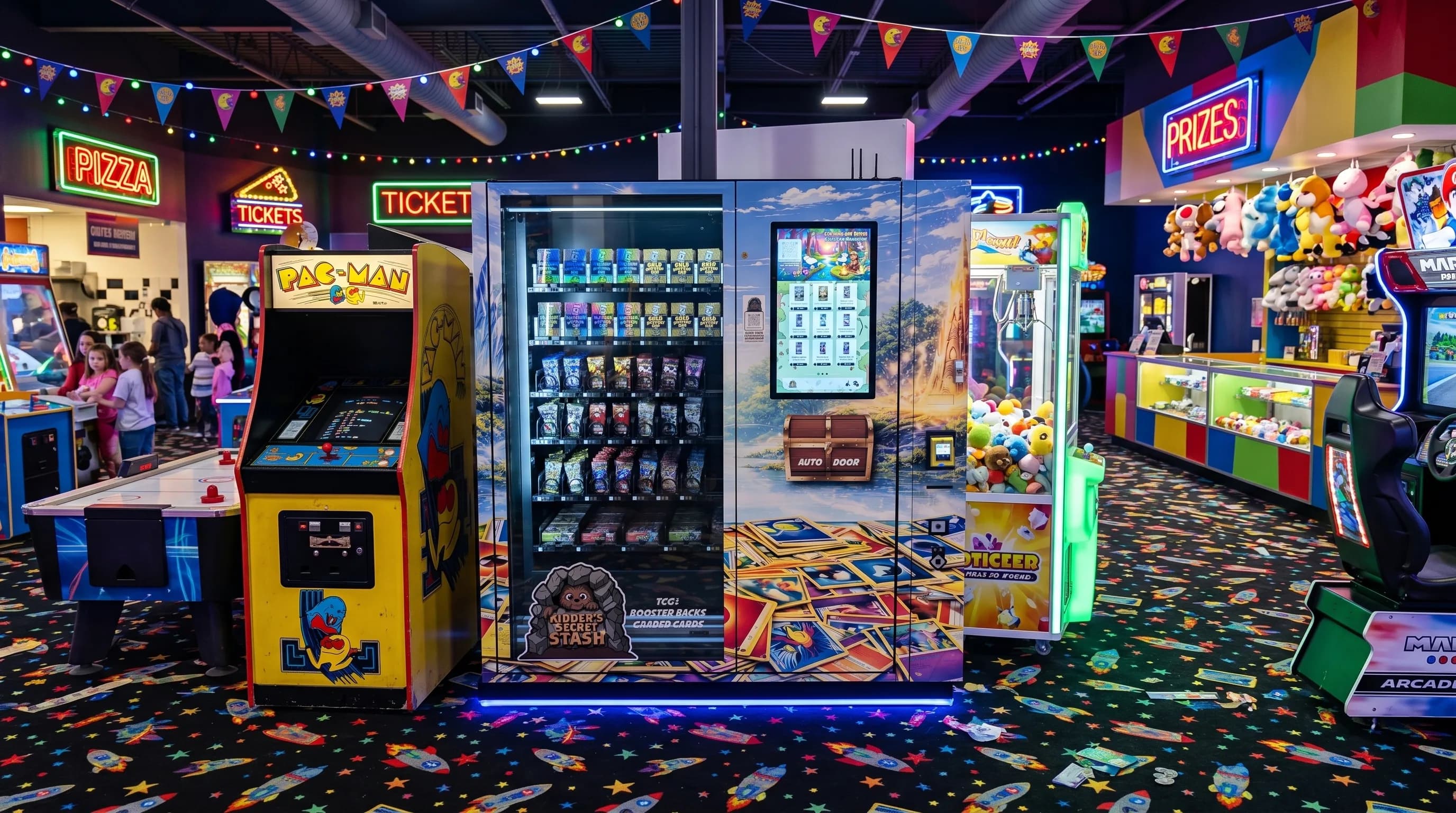
TL;DR DMVI's VendingTracker platform lets operators monitor sales, inventory levels, pricing, and machine health from any device — no site visit required. Operators can raise prices remotely on new set release days, receive push alerts when a slot goes empty, and manage routes of 5–10 machines from a single dashboard. The platform is included at no extra cost with every DMVI machine.
Introduction
The promise of vending machine passive income only works if you're not making daily site visits. A route that ties you to your machines every morning isn't passive — it's a second job with worse hours. DMVI's cloud management platform, VendingTracker, turns a Pokémon vending machine into a genuinely remote-manageable business — with real-time sales data, inventory alerts, remote pricing, and machine health monitoring all accessible from your phone or laptop.
Most vending operators work blind. They drive to a machine, open the door, count what's left, and guess what sold. That model made sense before cellular connectivity and cloud software. It doesn't make sense anymore — and it especially doesn't make sense in the TCG category, where demand spikes violently on set release days, pricing opportunity windows open and close in hours, and a single slot running empty on a busy Saturday can cost you hundreds of dollars in lost sales.
This guide covers every VendingTracker feature in detail: what it tracks, how remote pricing works in practice, how to manage a multi-machine route without visiting every location on a fixed schedule, and how to use 12 months of telemetry data to build a genuinely optimized inventory operation. If you're evaluating Pokémon vending machines for sale, understanding the software layer is as important as understanding the hardware.
Section 1: What Cloud Telemetry Actually Tracks
Remote vending machine management starts with data. VendingTracker logs and surfaces a comprehensive picture of machine activity in real time — not as a batch upload at the end of the day, but transaction by transaction, as events occur.
Here is what the platform monitors:
Sales by SKU. Every transaction is logged with SKU identifier, sale price, timestamp, and payment method. You can see exactly which product sold, at what price, and whether the customer paid by tap, swipe, or chip card. At the end of the day you have a complete sales register, not an estimate.
Slot inventory levels. Each slot's current quantity is decremented after every sale. You know — from your phone — that Slot 12 (Mega Evolution booster packs) has 4 units remaining and will hit your low-stock alert threshold within the next 6 transactions.
Revenue totals. Daily, weekly, and monthly aggregates are available by individual machine and rolled up across your entire route. Spot a revenue dip at one location before it becomes a month-end surprise.
Payment status. Successful transactions, declined cards, and refund triggers are all logged. If your machine's payment terminal is presenting errors to customers — declining valid cards, for example — you'll see the pattern in the data before a location manager calls to complain.
Machine health. Door open/close status, connectivity status, temperature (where applicable), and hardware error codes are monitored continuously. If the machine loses its cellular connection, VendingTracker flags it immediately rather than letting you discover it after a week of zero sales.
Low-stock alerts. Automatic notifications fire when any slot reaches its configured par level. You define the threshold per slot — a high-velocity slot selling 20 packs a day gets a higher alert threshold than a slow-moving accessory slot.
Payment reader status. If the Nayax terminal goes offline or encounters a hardware error, an alert fires immediately. Silent payment failures are one of the costliest problems in unattended retail; this feature prevents them from becoming invisible revenue loss.
Jam detection. When a product fails to dispense — detected via motor feedback — VendingTracker logs the failed dispense event and triggers an alert. The customer gets a refund automatically; you get a notification to investigate the slot on your next restock run.
The net result: operators who would otherwise need to visit their machine daily to know what's happening can instead check a dashboard once each morning and get a more complete picture than they could from a physical inspection.
Section 2: Real-Time Pricing — The Biggest Revenue Lever
For TCG operators, remote pricing is the single most financially consequential feature in the VendingTracker platform. No other capability has a higher immediate dollar impact per minute spent.
Here is why this matters specifically in the Pokémon category.
New Pokémon set releases happen quarterly. The current Scarlet & Violet era rotation includes Prismatic Evolutions, Journey Together, Destined Rivals, and Mega Evolution. Each release follows the same demand pattern: the moment product hits retail, demand surges sharply. Collectors who couldn't get product through their usual channels — or who want the convenience of an immediately accessible machine — will pay a significant premium on release day.
That premium window is short. By day three or four post-release, supply normalises and price sensitivity returns. Release day is when the premium is highest and the window is narrowest.
Without remote pricing: the operator has to drive to the machine to change prices manually. For a route of five machines across multiple zip codes, that is a half-day operation. By the time they arrive at Machine 3, it's 2 PM and the morning rush of launch-day collectors has already come and gone at $9 per pack.
With VendingTracker: the price update is pushed from a phone at 7 AM on street date. All five machines capture premium pricing for the entire day, from open to close, without the operator leaving the house.
The revenue math is straightforward:
| Scenario | Price Per Pack | Packs Sold | Revenue |
|---|---|---|---|
| Normal day, standard price | $9.00 | 80 | $720 |
| Release day, remote price update | $14.00 | 80 | $1,120 |
| Difference | +$400 |
That $400 is captured from a 30-second remote update. On a route of five machines, the same calculation yields $2,000 in additional revenue from a single release day — and there are four major set releases per year.
Stat Callout: Remote Pricing ROI 5 machines × $400 additional revenue per release day × 4 major set releases per year = $8,000 in incremental annual revenue from remote pricing alone — with zero additional operational effort.
Operators who do not have remote pricing capability are leaving a predictable, recurring revenue pool on the table every quarter. It is one of the clearest competitive advantages DMVI's cloud vending software provides over operators running non-networked machines.
Section 3: Planogram Management — Prepare Restocks Remotely
A planogram defines which product occupies which slot in the machine. In traditional vending, planogram changes happen on-site: the operator opens the door, decides what goes where, and loads product. This is fine for one machine. It becomes a time drain across a route.
VendingTracker includes a planogram editor that lets operators configure slot assignments from any device before they set foot at the machine.
The use case for TCG operators is direct. When a new set launches — Mega Evolution, for example — you want those packs in the highest-visibility, most-trafficked slots in the machine. The night before your restock run, you open the planogram editor, move the new set into your 10 premium slots, and assign the older product to secondary positions. When you arrive at the machine the next morning, the slot configuration is already decided. You load product into the pre-assigned slots and move on. There is no on-the-floor decision-making, no second-guessing, no time wasted.
For operators running multiple machines at different location types — a mall machine and a family entertainment center machine, for example — the planogram editor lets you maintain different slot configurations for each location without visiting either. A mall audience may skew toward newer sets and premium product. An FEC audience may move more entry-level packs and accessories. Configure each accordingly from the dashboard, and your restocking runs execute the plan rather than making it.
This feature is covered in more depth in our dedicated guide to Pokémon vending machine inventory management, which covers par levels, dead SKU rotation, and seasonal stocking strategies.
Section 4: Multi-Machine Route Dashboard
Operators running two or more machines face a logistical problem: knowing which machines actually need attention and which can wait. Without visibility, the default answer is to visit all of them on a fixed schedule — which is wasteful. With VendingTracker's multi-machine route dashboard, the data answers that question for you.
Every machine in your operation is visible on a single screen. Sales, inventory levels, and health status are updated in real time for each unit. A 60-second morning check tells you which machines are running low, which had strong sales days, and which have flagged a hardware issue.
The performance comparison use case is equally important. Suppose Machine A (regional mall, high foot traffic) is generating $8,000 per month and Machine B (strip mall, lower traffic) is generating $1,200 per month. That gap is obvious in the dashboard. Without telemetry, you might not identify the disparity for several months — and even then, you'd be working from rough impressions. With the data in front of you, the relocation decision is clear and defensible.
| Machine | Location | Monthly Revenue | Action |
|---|---|---|---|
| Machine A | Regional mall | $8,000 | Maintain; consider second unit |
| Machine B | Strip mall | $1,200 | Evaluate relocation |
| Machine C | FEC (family entertainment) | $5,400 | Strong; optimize planogram |
Route planning improves directly from this visibility. Instead of visiting all three machines every Tuesday regardless of need, you visit the machines that actually need restocking or service, in the order that makes geographic sense. Machines running at adequate inventory levels don't require a visit that week. The operational savings compound across a year.
For a deeper look at how to structure and scale your route, see our guide on scaling from one to ten Pokémon vending machines.
Section 5: Notification and Alert Setup
| Alert Type | Why It Matters | Recommended Operator Response |
|---|---|---|
| Low-stock alert | Prevents stockouts on winning SKUs | Add the item to the next route kit immediately |
| Payment reader offline | Revenue stops even if inventory is full | Check connectivity first, then escalate hardware if needed |
| Sudden sales spike | Signals a release-week or venue event opportunity | Protect top sellers and consider a price adjustment |
| Door / tamper alert | Protects product, cashless hardware, and venue trust | Investigate quickly and document the event |
| Price / planogram mismatch | Causes margin leaks and customer confusion | Reconcile remote settings before the next visit |
VendingTracker's alert system is configurable to your operating preferences. The goal is to surface the events that require your attention without generating noise that trains you to ignore notifications.
Low-stock alerts can be configured per slot or per product category. A booster pack slot with a velocity of 15 units per day warrants a threshold of 10 units remaining — giving you roughly 16 hours before it empties. A slow-moving accessory slot might warrant an alert at 3 units remaining.
Payment reader offline alerts fire immediately when the Nayax terminal loses connectivity or encounters a hardware fault. A payment reader that silently rejects all transactions is among the most damaging failure modes in unattended retail — you lose revenue and customers leave frustrated with no visible error explanation. Immediate alerting contains the damage.
Machine door open alerts serve a security function. If the machine door is opened outside your scheduled restock windows, you receive an immediate notification. This matters most for machines placed in semi-public locations where after-hours access is not expected. For a full breakdown of DMVI's security architecture, see our post on touchscreen Pokémon vending machine features.
Daily summary reports give you an automated snapshot of the prior day's sales across all machines, delivered each morning via email, SMS, or push notification — your choice. You can start every day with a complete picture of your route's performance before your first coffee is finished.
Section 6: Using Data to Make Better Inventory Decisions
The telemetry that VendingTracker collects is not just operationally useful — it is a strategic asset that compounds in value the longer you run your machines.
Weekly velocity reports show which SKUs sold fastest in the past seven days. Sort by units sold to identify what needs restocking first. Sort by revenue to identify which slots are generating the most dollars per cubic inch of machine space.
Dead SKU identification flags any slot with zero sales in 14 or more days. In the TCG category, dead SKUs are often older sets that have been superseded by newer releases. The data tells you when to rotate product out rather than leaving underperforming inventory in prime slots.
Peak hour analysis maps transaction volume by hour of day. If 60% of your transactions occur between 3 PM and 8 PM on weekdays, the best time to schedule your restock visit is mid-morning — when the machine is between sales cycles and you're not blocking transactions while you reload. Operating around actual peak hours rather than arbitrary convenience is only possible when you have the data.
Set-release spike tracking lets you compare sales velocity in the seven days before and the seven days after a new Pokémon set launch. This quantifies the revenue spike that new releases generate at your specific locations — useful intelligence for stocking decisions on future releases.
Year-over-year comparison becomes available once you have 12 months of operational data. Seasonal patterns in the TCG category — back-to-school, holiday season, summer releases — become legible in the data, and inventory planning improves accordingly. An operator who knows from data that December runs at 2.3× their average monthly velocity stocks differently in November than one who is guessing.
This level of intelligence is what separates operators who scale to profitable multi-machine routes from those who stay stuck at one machine and marginal returns.
Ready to Run a Truly Remote Pokémon Vending Operation?
VendingTracker is not an add-on or a premium tier — it is included with every DMVI machine at no extra cost. Every operator who purchases or leases a DMVI cabinet gets full access to real-time telemetry, remote pricing, planogram management, multi-machine route dashboards, and the complete alert suite from day one.
If you are evaluating a Pokémon vending machine investment, the software layer is part of the machine's return on investment calculation. Remote pricing alone — capturing four release-day premium windows per year — can generate $8,000 or more in incremental annual revenue on a five-machine route. That figure does not require additional product, additional locations, or additional time. It requires a 30-second price update.
Browse DMVI's Pokémon card vending machines by DMVI to review machine formats, pricing, and lease options. To speak directly with the team about your operation, call +1-800-490-1108 or visit digitalmediavending.com.
Want pricing, format guidance, or a launch plan?
DMVI can help you compare Pokemon vending machine formats, rollout strategy, financing, and location fit based on your route goals.