
Inventory Management for Pokémon Vending Machines: Par Levels, Velocity & Remote Monitoring
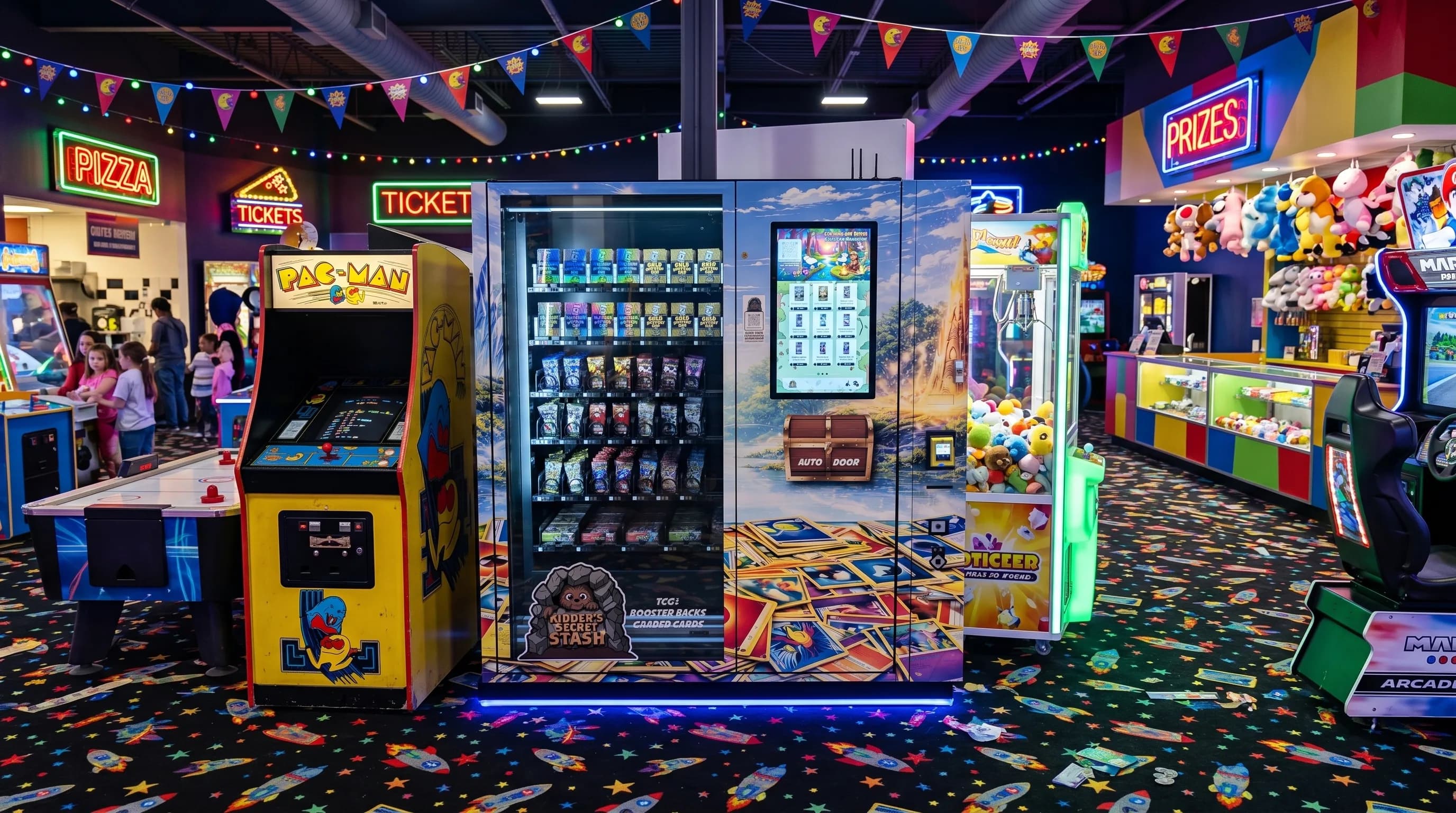
TL;DR: Effective Pokémon vending machine inventory management means setting par levels by SKU velocity, using cloud telemetry (DMVI's VendingTracker) for real-time low-stock alerts, rotating dead SKUs within 30 days, and aligning restock schedules with Pokémon TCG set release cycles. Most operators restock every 2–4 weeks under normal conditions; release week may require twice-weekly visits.
An empty vending machine slot is lost revenue. A machine full of stale, slow-moving product is trapped capital. Getting inventory management right is what separates operators earning $4,000/month from those earning $8,000/month from the same machine in the same location. This guide covers the full operational playbook: how to calculate and set par levels for every SKU type, how to track velocity so you act on data rather than guesswork, how to build a restock cadence that scales across multiple machines, and how DMVI's cloud dashboard lets you manage it all remotely without driving to the location every week. Whether you're running one machine or building a route of ten, these systems are what turn a vending machine into a real business.
Section 1: What Is a Par Level and How to Set One
| Inventory KPI | What It Tells You | Warning Sign | Next Action |
|---|---|---|---|
| Par level by SKU | The minimum stock needed between route visits | You are selling through before the next planned stop | Raise the par or shorten the restock cycle |
| Days to stockout | How long the current fill should last | The machine is likely to go empty before your route day | Rebalance inventory or adjust pricing |
| Sell-through velocity | Which items genuinely earn their space | One slot keeps underperforming across multiple cycles | Rotate that SKU out |
| Dead SKU age | How long slow inventory has been sitting | The same item stays stale while nearby slots move | Discount, bundle, or replace it |
| Shrinkage / variance | Whether counts match expected movement | Unexplained product loss or mismatched counts | Audit handling, access, and alerts |
A par level is the minimum quantity of a given SKU you want in the machine before triggering a restock visit. Think of it as the floor, not the ideal quantity — once any slot hits par, it's time to replenish before you hit zero.
Setting par levels correctly serves two goals simultaneously: it prevents stockouts (empty slots that turn away ready buyers) and prevents over-investment in slow-moving product that ties up cash you could deploy elsewhere.
The Par Level Formula
Par Level = (Average Daily Sales Velocity × Restock Lead Time) + Safety Stock
For a practical example: if a booster pack slot sells 3 packs per day and your restock cycle runs 7 days, your par level is (3 × 7) + 3 = 24 units. The safety stock buffer (the +3 in this case) accounts for unexpected velocity spikes — like the week a new set drops or a viral unboxing video floods your location with new customers.
Tiered Par Levels by SKU Type
Not every product earns the same par level. A booster pack and a graded slab have completely different velocity profiles, price points, and restock urgency. Use this tiered structure:
| SKU Type | Examples | Recommended Par Level |
|---|---|---|
| High-velocity | Booster packs, single packs | 30–50% of slot capacity |
| Medium-velocity | Elite Trainer Boxes (ETBs), tins | 25% of slot capacity |
| Low-velocity | Graded slabs, sealed cases | 1–2 units (individual alert) |
| Evergreen | Base Set reprints, classic packs | Higher par; slower rotation needed |
| Set-specific | Prismatic Evolutions, Mega Evolution | Aggressive par; rotate within 60 days |
Evergreen vs. set-specific is a critical distinction. Evergreen booster packs maintain consistent demand across the entire product lifecycle and can hold a higher par comfortably. Set-specific product has a sharp demand curve — high on launch, dropping quickly as the collector community completes their pulls. Set-specific inventory should be treated with more aggressive par levels and faster rotation windows to avoid dead capital.
Section 2: VendingTracker — Remote Inventory Monitoring
Every DMVI machine ships with access to VendingTracker.com, a cloud-based dashboard that gives operators real-time visibility into sales, inventory, and machine health from any device — desktop, tablet, or phone. You don't need to be standing in front of the machine to know exactly what's happening inside it.
Stat callout: Operators managing routes of 5–10 machines who use VendingTracker's alert system report scheduling only necessary site visits — eliminating "check-up" trips to machines that don't need restocking and cutting route-driving time by up to 40%.
What VendingTracker Shows
- Sales by SKU and time of day — see which products move fastest, and when (afternoon mall traffic vs. weekend spikes)
- Current quantity in each slot — live inventory count per slot, updated after every transaction
- Low-stock alerts — automated notifications triggered the moment a slot hits your preset par level
- Payment failures and machine errors — get notified of a card reader issue before a customer does
- Revenue totals — daily, weekly, and monthly breakdowns by machine and by SKU
How Operators Use It in Practice
Set alerts and let the data come to you. Configure a par-level alert for every slot. When a fast-moving booster pack slot hits par, you get a push notification or email before the slot empties. No manual checking required.
Review velocity weekly. Pull the SKU velocity report every Monday morning. In 10 minutes, you'll see which products are outperforming expectations, which are underperforming, and which are completely stagnant. This is how you catch a dead SKU before it wastes three months of slot space.
Adjust pricing remotely. When a hot new set launches — Mega Evolution, Destined Rivals, Journey Together — demand spikes before you can physically get to the machine. VendingTracker lets you raise the vend price on a new-set slot remotely, before the street date, without a site visit. Capturing that launch premium is easy money most operators leave on the table.
Plan restock runs on actual data. Instead of driving to every machine on a fixed calendar schedule, check the dashboard first. Only visit machines where one or more slots have hit par. For a five-machine route, this can reduce weekly driving significantly — especially if two of your machines are in slow weeks between set releases.
For a deeper look at the full remote management toolkit, see the guide on remote management for Pokémon vending machines.
Section 3: Restock Cadence — Normal vs. Release Week
Normal Operating Conditions
Under steady-state conditions — no major set launch, typical weekly foot traffic — most Pokémon vending machines run on a 2–4 week restock cycle. High-traffic locations (large malls, entertainment venues) will sit closer to the 2-week end. Lower-traffic or mixed-inventory machines may stretch to 4 weeks.
Time per restock visit: 15–30 minutes. The key to keeping this tight is preparation. Before you leave for the location, pre-pack your restock kit by slot number. Label each product grouping ("Slot 4 — Booster Packs × 12") so when you open the machine you're loading, not thinking. The thinking happens at home with VendingTracker open.
Best practice: restock in the evening or early morning when mall or venue traffic is lowest. You'll work faster with less foot traffic around the machine, and you won't lose sales during the downtime window.
New Set Release Week
This is where operators who plan ahead separate from those who don't. During a major Pokémon TCG set release — Prismatic Evolutions, Mega Evolution, Journey Together, Destined Rivals — sales velocity on the new set can increase 2–5× above baseline. A slot that normally moves 3 packs per day may move 10–15 on launch day.
Practical release week protocol:
-
Order allocation in advance. Distributors — GTS Distribution, Southern Hobby Supply, Alliance Game Distributors, ACD Distribution — allocate product by pre-order. Secure your inventory before street date. If you're waiting to order the week of launch, you're likely getting leftovers.
-
Expect twice-weekly visits. High-demand machines in strong locations may need restocking on Day 3 and Day 7 of release week, not just Day 7. Set tighter par-level alerts for new-set slots during the launch window.
-
Use VendingTracker's planogram editor. Before you drive to the location, rearrange your slot assignments remotely. Designate your prime slots (highest-traffic positions on the touchscreen menu) to the new set launch products. Then when you arrive to restock, you're loading into the right slots — the planogram is already set.
-
Update pricing before street date. Raise the vend price on new-set product via the remote dashboard before the set officially drops. This ensures you're capturing launch demand at the right margin from the first sale, not adjusting it reactively two days in.
Section 4: Identifying and Rotating Dead SKUs
A dead SKU is any product that has generated zero or near-zero sales for three or more consecutive weeks. Dead SKUs are the silent drain on vending machine profitability — they occupy slots that could be generating $200–$500/month in revenue.
How to Spot Them
VendingTracker makes dead SKU identification straightforward: if a slot hasn't triggered a sale alert in 21+ days, it's a candidate for rotation. Common culprits include:
- Older sets past their sales peak — once collectors finish their pulls from a set, demand drops sharply
- Accessories with no impulse appeal — card sleeves, binders, and deck cases rarely sell well in a vending context unless the location has a very specific gaming audience
- Sets with poor pull rates — the collector community is vocal; sets perceived as "bad value" underperform even in high-traffic locations
The Rotation Process
- Identify via the VendingTracker velocity report — flag any SKU with <$50 in sales over the past 3 weeks
- Pull the slow-moving SKU at your next scheduled restock visit (no special trip required unless it's also blocking a prime slot)
- Redistribute the pulled inventory to a location with better demographic fit — if your suburban mall machine doesn't move a premium graded slab, maybe your downtown entertainment venue machine will
- Liquidate product that can't be redistributed — sell at cost to a local card shop, list on a wholesale group, or absorb into your personal inventory. Getting 80 cents on the dollar is better than letting a dead SKU sit
- Replace the slot with a new-set booster pack, a high-velocity evergreen, or the current demand driver in the Pokémon TCG calendar
Rule of thumb: No SKU should occupy a slot for more than 60 days without generating at least $50 in cumulative sales. If it hasn't hit that floor in 60 days, it's costing you more in opportunity cost than it's earning.
For guidance on sourcing the replacement inventory, see the complete Pokémon card wholesale sourcing and distributor guide.
Section 5: Multi-Machine Inventory Pooling
For operators running 2+ machines, vending machine inventory management shifts from a single-location problem to a portfolio optimization problem. The principles are the same, but the opportunities expand.
Buy in larger quantities for better wholesale pricing. Authorized distributors offer volume pricing. An operator buying 5 booster boxes gets a different price than an operator buying 50. As your route grows, your cost basis improves — which directly expands margin.
Redistribute stock between machines based on velocity. Machine A at a family-oriented mall might move ETBs and starter decks faster. Machine B at a gaming café moves single booster packs fastest. If your last restock over-ordered ETBs for Machine B, move the surplus to Machine A at the next visit rather than letting it sit.
View all machines on one VendingTracker dashboard. Every DMVI machine rolls into the same operator dashboard. A single morning review session gives you the inventory status of your entire route — no logging in and out of separate systems.
Storage infrastructure. Operators running 3+ machines should budget for a climate-controlled storage unit ($50–$150/month depending on location) near their machine cluster. This becomes your restock staging area — inventory is pre-sorted by machine and slot, making every site visit a simple load-and-go operation.
For a deeper playbook on route expansion, the guide on scaling from one to ten Pokémon vending machines covers everything from machine acquisition sequencing to operational leverage.
Section 6: Shrinkage and Loss Prevention
One of the structural advantages of a Pokémon vending machine business is how low the shrinkage rate is compared to traditional retail.
Theft risk: near zero. DMVI machines feature automatic locking doors — there is no open-shelf exposure. There is no smash-and-grab vulnerability, and the machine can only dispense product after a completed payment transaction. This is a fundamentally different risk profile from a card shop display case.
Product damage: negligible for sealed TCG product. Sealed Pokémon packs and boxes have no expiration date and are not temperature-sensitive within normal indoor operating ranges. Product that goes unsold retains its full resale value — unlike food vending, dead inventory is never wasted, just reallocated.
Payment fraud. The primary shrinkage source for most operators is chargebacks from legitimate customers — a customer disputes a transaction if a machine error caused a failed vend. This is typically less than 1% of gross transactions and is managed through VendingTracker's full transaction logging.
Inventory discrepancy. If VendingTracker shows a completed sale but no corresponding inventory reduction, investigate immediately. This can indicate a double-vend (machine dispensed two units on one transaction) or a system sync error. Both are rare but worth catching quickly.
Industry standard shrinkage rate for TCG vending: 0.5–1.5% of gross revenue — substantially below the 1.5–2%+ typical of open-shelf retail collectibles.
Section 7: Storage and Handling Best Practices
Good inventory management starts before the product enters the machine. How you store and handle your inventory directly affects product quality and, in turn, sale price integrity.
Environment. Store your inventory in a cool, dry environment. Sealed TCG product is sensitive to high humidity (which can cause booster packs to warp or boxes to delaminate) and sustained extreme heat. A climate-controlled storage space or a conditioned room in your home is sufficient for most operators starting out.
No direct sunlight. Even sealed product in a display box can experience wrap fading and color shift with sustained UV exposure. Keep inventory away from windows or install UV-blocking film if your storage space has significant sun exposure.
Stacking. Stack booster boxes flat, not upright, to prevent the weight from deforming the bottom boxes over time. For graded slabs, store in a padded case and never stack unsecured slabs directly on top of each other.
FIFO rotation. At every restock visit, pull older inventory forward and load newer inventory to the back of each slot. Older product vends first, minimizing the chance that any sealed product sits in the machine through a particularly hot or dry period.
Pre-pack restock kits. Before every site visit, stage your restock inventory at home and label each grouping by slot number. When you arrive at the machine, you're executing a pre-planned load — not sorting product on-site. This is how experienced operators get in and out of a restock in under 20 minutes.
Ready to Build a Better Inventory System?
Inventory management is not a complicated discipline — but it has to be systematic. Set par levels before you stock the machine, not after. Use VendingTracker to let the data tell you when to visit, not your calendar. Rotate dead SKUs within 30 days instead of letting them bleed opportunity cost for months. And align your buying schedule with the Pokémon TCG release calendar so you're never caught under-stocked on launch week.
The operators running the most profitable machines aren't working harder — they're working on better systems. The framework above is the same one top DMVI operators use across routes of five, eight, and ten machines.
If you're ready to start building that system from day one, explore DMVI's Pokémon vending machines — every machine ships with VendingTracker built in, so your inventory dashboard is live from the moment your machine goes on the floor. Or view DMVI's full machine formats to find the right cabinet for your target location and budget.
Want pricing, format guidance, or a launch plan?
DMVI can help you compare Pokemon vending machine formats, rollout strategy, financing, and location fit based on your route goals.