AI Smart Fridges: The Customer Journey and Daily Operating Routine
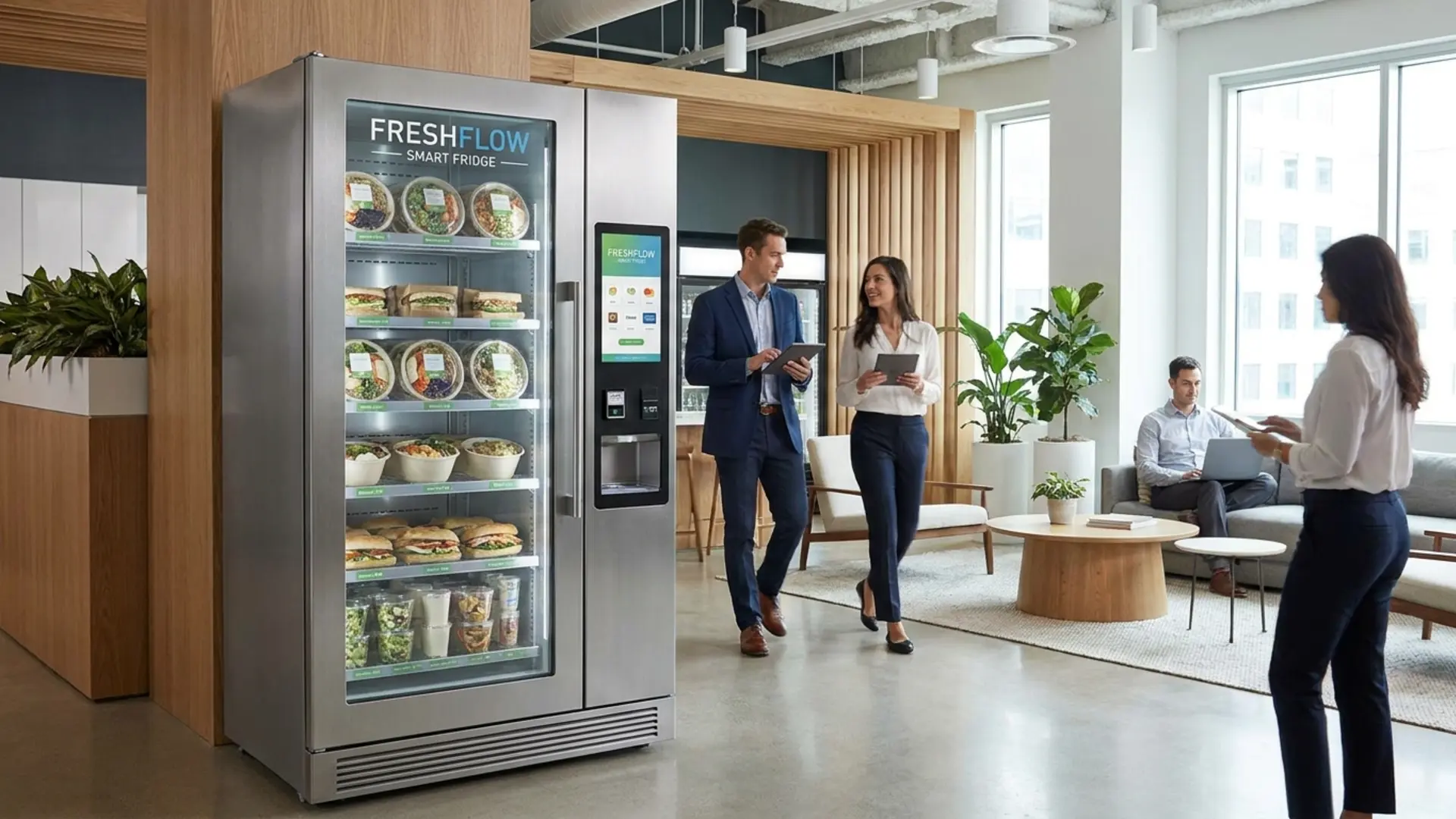
An AI smart fridge can make buying lunch look simple: open the cabinet, take a sandwich and a drink, close the door. Behind that short visit are several different jobs—granting access, identifying products, resolving the payment, updating records, and keeping food under appropriate storage conditions.
Understanding those jobs helps an operator explain the service to customers and organize the work between visits. This guide follows a shopping session through to the next restocking round. For a broader introduction to the format, see AI smart fridges.
The workflows below are operating considerations, not promises that every cabinet has the same sensors, payment methods, software, or safety controls. Confirm the behavior of the specific configuration you plan to use.
Before the door opens: make the shopping instructions clear
The customer needs to know how to start a session, which payment methods are accepted, where to find prices, and how to get help. Put that information where it can be read before someone taps a card or opens the door.
If the system places a temporary authorization hold, explain the applicable amount and process using the payment provider's confirmed wording. A hold is not the same as the final purchase charge. Do not promise a universal release time: the processor and customer's bank can affect when a pending amount disappears.
Provide a visible support contact and a way to identify the cabinet. A customer reporting an issue should not have to guess which operator owns it. Verify the receipt instructions for the selected system, including what the customer must do to retrieve one.
During shopping: recognition depends on the actual products
Open-door retail lets the customer handle products directly instead of waiting for a dispensing mechanism. Systems may use cameras, weight sensing, or other combinations of hardware and software to identify selections. The AI label alone does not establish which technology a particular fridge uses.
Product compatibility has several parts. A package must fit the shelf, be suitable for the storage conditions, and be supported by the recognition system in the intended arrangement. Similar-looking flavors, reflective packaging, mixed package sizes, and a supplier's label redesign can all be reasons to recheck the assortment.
Use the supplier's approved stocking and product-registration process. Do not assume a product can be substituted merely because it occupies the same space. If a customer picks up an item and puts it back, follow the configured system's instructions; the operator needs to understand how returns to the shelf are handled and how any resulting discrepancy is resolved.
An AI fridge does not remove the need for product validation. It changes the handling question from “will this package dispense?” to “will this package be stored, recognized, priced, and recorded correctly?” Conventional vending machines can also offer refrigerated products; refrigeration is not exclusive to the open-door format.
After the door closes: separate recognition from payment
Closing the door can trigger the next stage of the transaction, but it does not establish that every system has already finalized the charge. Processing and any exception review depend on the platform. Avoid telling customers that every purchase settles instantly or can never be misidentified.
Give the operator a clear route for these three situations:
| Customer report | What to check | Required follow-through |
|---|---|---|
| An unfamiliar pending amount | Whether it is an authorization or a completed charge | Explain the documented hold process and escalation route |
| A wrong item or quantity | Available transaction records and the customer's account of the purchase | Investigate and correct through the authorized support or refund process |
| No receipt or an unresolved purchase | Session status and receipt availability in that system | Explain the next step without assuming the transaction succeeded or failed |
Keep a case reference and record the outcome. Do not ask a customer to send a full payment-card number to diagnose a sale. Use the identifiers and secure support channels specified by the payment provider.
For pre-purchase demonstrations and acceptance criteria, use the separate AI vending checklist. Day-to-day operation needs a repeatable support routine after that initial acceptance work is complete.
Between visits: review exceptions as well as sales
A dashboard can help prioritize work, but a sales total is not a complete operating report. Review unresolved transactions, customer complaints, available equipment alerts, and discrepancies between recorded stock and physical counts.
Do not assume all cabinets share one management platform. The selected AI-fridge package must identify its actual software, subscriptions, user permissions, and support responsibilities. VendingTracker™ inclusion in another DMVI™ machine configuration does not establish that it manages the fridge.
Assign someone to act on alerts during the hours the cabinet is accessible. If connectivity is interrupted, establish what the particular system does with new sessions, pending transactions, and queued alerts. An absence of dashboard warnings does not prove that refrigeration, communications, or payment processing is working.
At restocking: reconcile, inspect, then replenish
Treat each visit as a physical check, not just a top-up. Follow the equipment and food-handling instructions for the products involved.
- Check the cabinet's condition and required temperature records before adding stock.
- Inspect existing products for damage, expiry, and other reasons they should not remain available.
- Reconcile physical counts with recorded stock. Investigate differences instead of silently treating every missing item as a sale.
- Load approved products in the supported arrangement, recording additions, removals, and waste separately.
- Check displayed prices and any changed product entries, then follow the prescribed return-to-service checks.
Rotate stock according to expiry and applicable handling requirements. Remote inventory estimates cannot establish whether a package is damaged or food has remained safe throughout a temperature excursion.
Keep chilled and frozen retail separate
A chilled fridge is not a freezer. DMVI has confirmed that a frozen AI freezer version exists, but that does not establish the temperature range, capacity, or product suitability of an unspecified model. Obtain the exact equipment specification for the goods you intend to sell.
Before carrying perishables, establish the applicable permits and food-safety procedures, required monitoring, and response to loss of refrigeration. Confirm whether the chosen system has alarms, sales lockout, or other controls; do not assume those functions from the word “smart.”
If storage conditions become uncertain, follow the food-safety plan and applicable requirements for stopping sales, assessing affected stock, and returning to service. Restoring the displayed temperature alone does not prove that previously exposed food is safe.
Match the format to the service you can support
A useful site assessment considers actual access hours, payment preferences, product demand, connectivity, restocking travel, and the ability to respond to faults. No single employee count or cabinet size guarantees viability. A compact installation still needs safe access, ventilation, power, delivery clearance, and room for service.
The AI-fridge program is separate from DMVI's standard machine-financing arrangement. Request the current fridge-specific quote, software and transaction fees, payment schedule, and service scope. Do not transfer another machine's deposit, interest, software, or warranty terms into the fridge budget.
Bring your proposed assortment, site details, and operating responsibilities to DMVI. The goal is a configuration whose customer experience you can explain and whose daily work you can reliably manage—not just a cabinet that looks effortless during a successful purchase.
Discuss your project with DMVI
Bring your product samples, site requirements, and intended customer experience to the conversation.